
Table of contents
Retrofitting Sensors on Legacy Equipment: A Practical Guide
A guide to retrofitting sensors on legacy equipment: choosing what to measure, non-intrusive installs, mounting, power, network isolation and baselines.
Picture a typical case: the press line is 25 years old, the controller has no spare inputs and its programmer retired. Nobody will approve a change to its logic, but maintenance wants to know why the main motor bearings fail every eighteen months. Retrofitting sensors on legacy equipment is about getting useful data from machines that were never designed to provide it, without putting at risk the thing that already works: the machine’s control. This guide walks through seven steps, from choosing what to measure to proving the data means something, with the standards that apply along the way.
Key Takeaways
- Start from a failure mode or operating question, not from a sensor catalog. ISO 17359’s approach to condition monitoring begins by identifying the machines and failure modes that matter.
- Prefer measurements that don’t touch the control system: clamp-on current transformers, surface-mounted accelerometers, external temperature sensors, or an isolated copy of an existing analog signal.
- Mounting decides what a vibration sensor can see. A stud mount gives the widest usable frequency range; adhesive and magnetic mounts are quicker but lower the mounted resonance and the usable bandwidth.
- Keep the retrofit’s data path separate from the control network. NIST SP 800-82 Rev. 3 and the ISA/IEC 62443 series both treat segmentation of operational technology as a basic control.
- Record a baseline under known operating conditions before setting alarms. Without one, the first month of data is just numbers.
The core problem: old machines, no spare inputs, no appetite for risk
Legacy equipment often runs reliably on a controller that’s hard to change: the software may be undocumented, the vendor may be gone, and any change requires a shutdown and a revalidation that nobody wants to schedule. At the same time, the machines are the ones most likely to need monitoring, because they’re old.
The temptation is to wire new sensors into the existing controller or to connect a gateway to its network and read whatever it exposes. Both can work, but both touch the system that keeps the machine safe and productive. A retrofit that respects that boundary is easier to approve, faster to install and easier to remove if it doesn’t help.
Step 1: Pick the question and the machine
Write down the decision the data should support: “replace the main motor bearing before it fails,” “know when the compressor runs unloaded,” “count cycles to schedule die maintenance.” Then choose one or two machines where that decision is costly.
ISO 17359, the general guideline for condition-monitoring programs, frames this as identifying the machines and failure modes worth monitoring before choosing techniques. In practice, one well-chosen question on one machine produces a more convincing result than a dozen sensors installed because they were available.
Step 2: Choose a measurement that doesn’t touch the control logic
For most questions there’s a measurement that can be made from outside:
- Motor current: split-core current transformers clamped around a phase conductor show load, cycles and some electrical and mechanical faults, without breaking a circuit. Installation inside an electrical cabinet must follow your site’s electrical safety and lockout procedures.
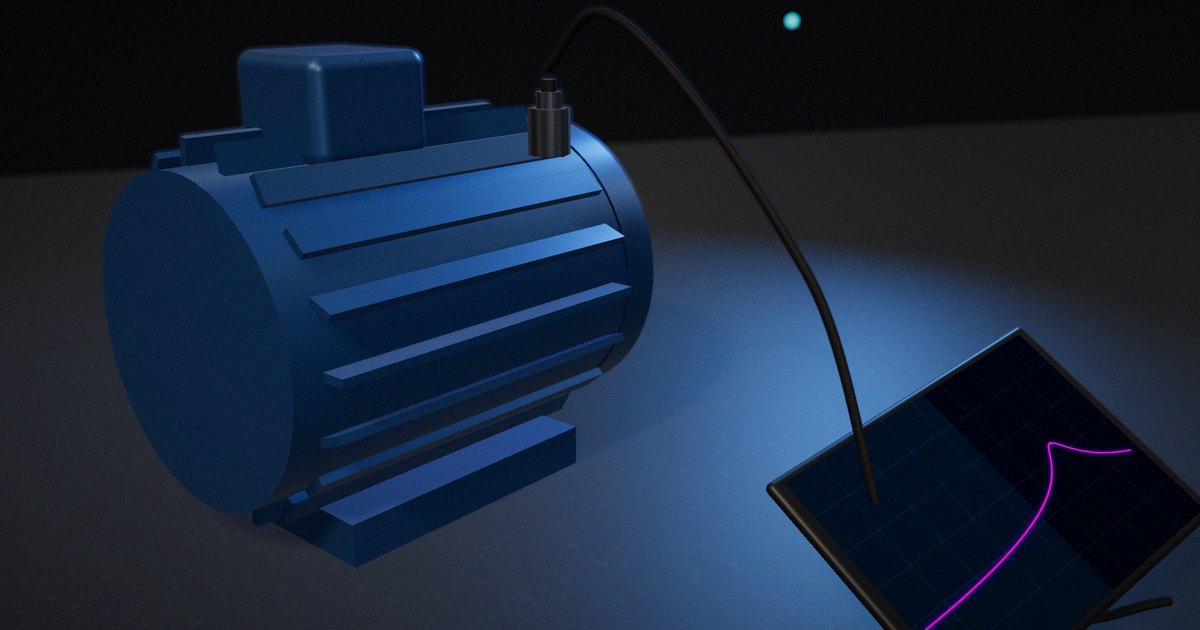
- Vibration: an accelerometer on the bearing housing shows imbalance, misalignment, looseness and bearing defects.
- Temperature: surface sensors or infrared sensors on bearings, motor frames or hydraulic lines.
- Existing analog signals: if a 4–20 mA transmitter already measures pressure or flow, an isolated signal splitter can provide a copy without disturbing the original loop, provided the loop’s voltage budget allows the added element.
Avoid reading values from the controller unless it already exposes them for that purpose and the owner agrees. Writing to it is out of scope for a monitoring retrofit.
Step 3: Mount the sensor so it sees the signal
For vibration in particular, mounting is part of the measurement. Endevco’s technical paper on accelerometer installation explains that a stud mount on a flat, clean surface gives the highest mounted resonance and the widest usable frequency range; adhesive mounts and mounting pads come next; and magnetic mounts, convenient for surveys, lower the mounted resonance and limit the usable bandwidth. For bearing faults that show up at several kilohertz, a magnetic mount may hide exactly what you’re looking for.
Mount close to the bearing, in the load zone if you can, on solid metal rather than a cover or guard, and record the location and orientation with a photo. If MEMS accelerometers are used, check that their noise floor and bandwidth fit the fault: Albarbar and colleagues’ 2008 experimental study in Sensors found MEMS accelerometers could be suitable for condition monitoring, with limitations in noise and frequency range compared with piezoelectric sensors.
Step 4: Solve power and connectivity for the site
Decide how each sensor gets power and how data leaves the machine. Battery-powered wireless sensors avoid cabling but trade sample rate and capture length for battery life. Wired sensors with a local gateway can stream more data but need cable runs, which in an old plant may mean conduit, trays and permits.
Check the radio environment and the building: metal enclosures, machine frames and long distances all affect wireless links. A short site survey with the actual sensor before ordering a full set saves surprises.
Step 5: Keep the new data path off the control network
The retrofit should not create a new path into the machine’s control system. NIST SP 800-82 Rev. 3, Guide to Operational Technology (OT) Security, describes OT topologies, common threats and recommended countermeasures, and treats separating OT networks from other networks as a basic measure. The ISA/IEC 62443 series, which covers the security of industrial automation and control systems across their lifecycle, organizes systems into zones with controlled connections between them.
For a monitoring retrofit, the simplest design is a separate path: sensors to a gateway on its own network, outbound-only connections to wherever the data goes, and no connection to the controller’s network at all. If data from the controller is also needed, bring it through a single, controlled point agreed with the system’s owner.
Step 6: Record a baseline and validate the data
Before setting any alarm, collect data for long enough to cover the machine’s normal operating states: different products, loads, speeds, shifts. Record those states alongside the data. Then check one measurement against an independent reference, such as a portable vibration analyzer or a clamp meter, to confirm the installation reads what it should.
Alarm limits come from the baseline and from applicable standards, such as the ISO 20816 vibration severity zones for overall levels, not from defaults in the gateway’s software.
Step 7: Document and hand over
Record each sensor’s location, mounting, orientation, firmware version and calibration date, the gateway configuration and the network layout. Agree who looks at the data, how often, and what they do when an alarm fires. A retrofit that nobody owns becomes a set of dashboards nobody opens.
Retrofit measurement options compared
| Measurement | What it shows | Intrusiveness | Install notes | Watch out for |
|---|---|---|---|---|
| Clamp-on current transformer | Load, cycles, running state, some motor faults | Low (no circuit break) | Inside a cabinet; electrical safety procedures apply | Accuracy at low current; phase choice |
| Accelerometer, stud mount | Imbalance, misalignment, looseness, bearing and gear faults | Medium (drilling and tapping) | Flat, clean surface near the bearing | Needs a maintenance window |
| Accelerometer, adhesive or magnetic | Same, with reduced high-frequency range | Low | Quick; good for surveys | Hides high-frequency bearing signatures |
| Surface or infrared temperature | Bearing, motor and fluid temperature trends | Low | Emissivity and mounting affect readings | Responds late to many faults |
| Isolated copy of a 4–20 mA signal | Process value already measured | Low to medium | Check the loop’s voltage budget | Changes to a safety-related loop need approval |
| Reading the controller | Whatever the controller already knows | High (touches the control system) | Only with the owner’s agreement | Load on an old controller; security |
How to put it to work
If you have an hour
Choose one machine and write the decision you want the data to support, the failure mode behind it and the measurement that would show it from outside the controller.
If you have a sprint
Install that one measurement on one machine with proper mounting and a separate network path, collect two weeks of baseline with operating states recorded, and compare one reading with a portable instrument.
If you want it to last the product’s lifetime
Keep installation records, photos and configurations with the machine’s documentation, review the data with maintenance monthly, and remove or relocate sensors that haven’t informed a decision in a year.
The question to ask yourself: “If this sensor were removed tomorrow, would anyone notice a missing decision, or only a missing chart?”
Frequently asked questions
Can I add sensors to old machines without changing the PLC?
Yes, in most cases. Clamp-on current transformers, surface-mounted vibration and temperature sensors, and isolated copies of existing analog signals can feed a separate gateway without any change to the controller’s wiring or logic.
What is the best way to mount a vibration sensor on legacy equipment?
A stud mount on a flat, clean surface near the bearing gives the widest usable frequency range. Adhesive mounts are a good compromise when drilling isn’t allowed; magnetic mounts are fine for surveys but limit the high-frequency range.
Are wireless vibration sensors good enough for retrofits?
Often, for trending and many fault types. Battery life limits sample rate and capture length, so check that the sensor’s bandwidth, noise and capture options fit the failure modes you care about.
How do I keep a retrofit from creating a security risk?
Keep it on a separate network from the control system, use outbound-only connections from the gateway, and don’t connect it to the controller’s network unless through a single controlled point agreed with the owner, following guidance such as NIST SP 800-82 and ISA/IEC 62443.
How long should I collect a baseline before setting alarms?
Long enough to see all normal operating states, which for many machines means at least a few weeks covering different products, loads and shifts.
Related reading: vibration data for predictive maintenance, accelerometer specs for vibration monitoring and the 4–20 mA current loop explained.
Sources
- International Organization for Standardization (2018). ISO 17359:2018, Condition monitoring and diagnostics of machines – General guidelines. https://www.iso.org/standard/71194.html
- Stouffer, K., Pease, M., Tang, C., Zimmerman, T., Pillitteri, V., Lightman, S., Hahn, A., Saravia, S., Sherule, A., & Thompson, M. (2023). Guide to Operational Technology (OT) Security. NIST Special Publication 800-82 Rev. 3. https://doi.org/10.6028/NIST.SP.800-82r3
- ISA. “ISA/IEC 62443 Series of Standards.” https://www.isa.org/standards-and-publications/isa-standards/isa-iec-62443-series-of-standards
- Matthews, J. “Guide to Accelerometer Installation.” Technical Paper TP319, Endevco. https://www.endevco.com/contentStore/mktgContent/endevco/dlm_uploads/2019/02/TP319.pdf
- Albarbar, A., Mekid, S., Starr, A., & Pietruszkiewicz, R. (2008). “Suitability of MEMS Accelerometers for Condition Monitoring: An Experimental Study.” Sensors, 8(2), 784–799. https://doi.org/10.3390/s8020784
- International Organization for Standardization (2016). ISO 20816-1:2016, Mechanical vibration – Measurement and evaluation of machine vibration – Part 1: General guidelines. https://www.iso.org/standard/63180.html